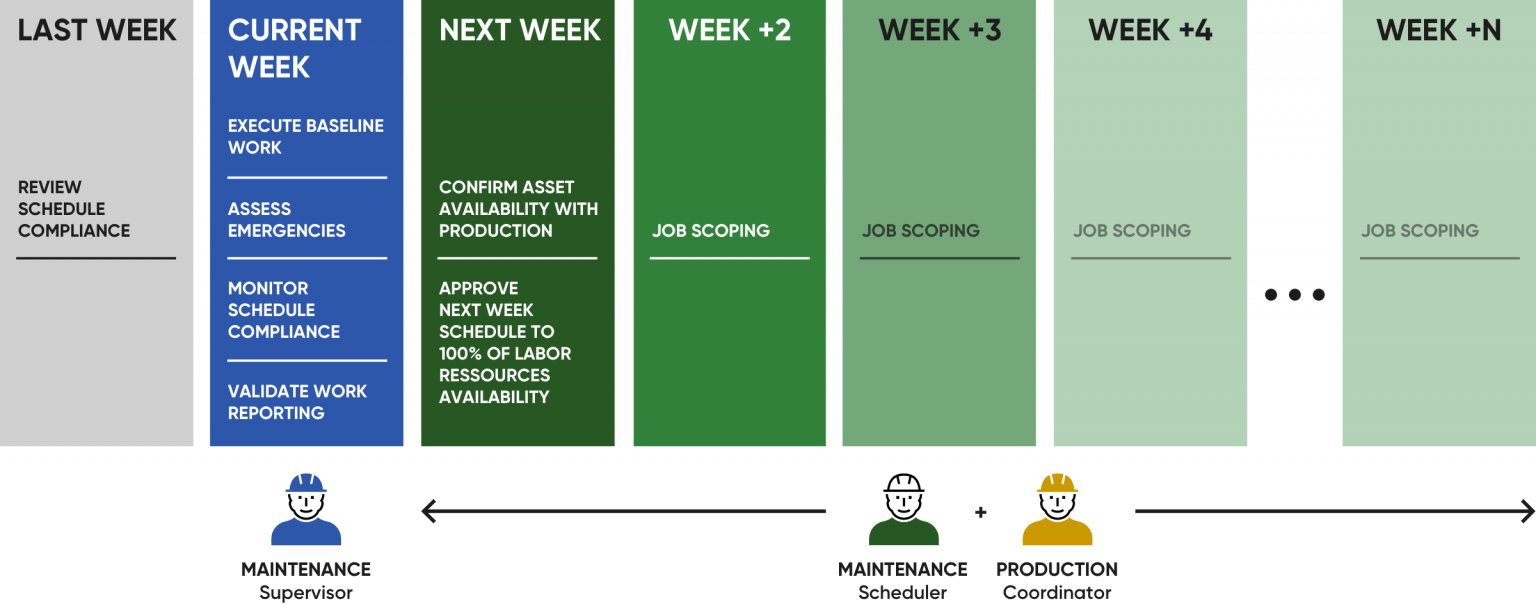


Visual Planner is designed from the ground up to support the multi-week rolling schedule.
It provides controls on multi-week schedules that neither project scheduling software, nor scheduling spreadsheets can achieve, since they are not designed to manage the multi-week scheduling process.
Visual planner provides a single source of truth by eliminating the numerous side systems and spreadsheets often used to manage all the information required to execute an efficient IPSPEC cycle. It is a single communication platform that promotes teamwork between maintenance and production. Visual Planner maximizes the productivity and efficiency of everybody involved in the IPSPEC cycle.

The Visual Planner Digital Platform’s graphical applications offer a unique calendar approach, specifically designed to put in place the most efficient maintenance scheduling process, from long-term capacity planning to short term scheduling and daily work execution.
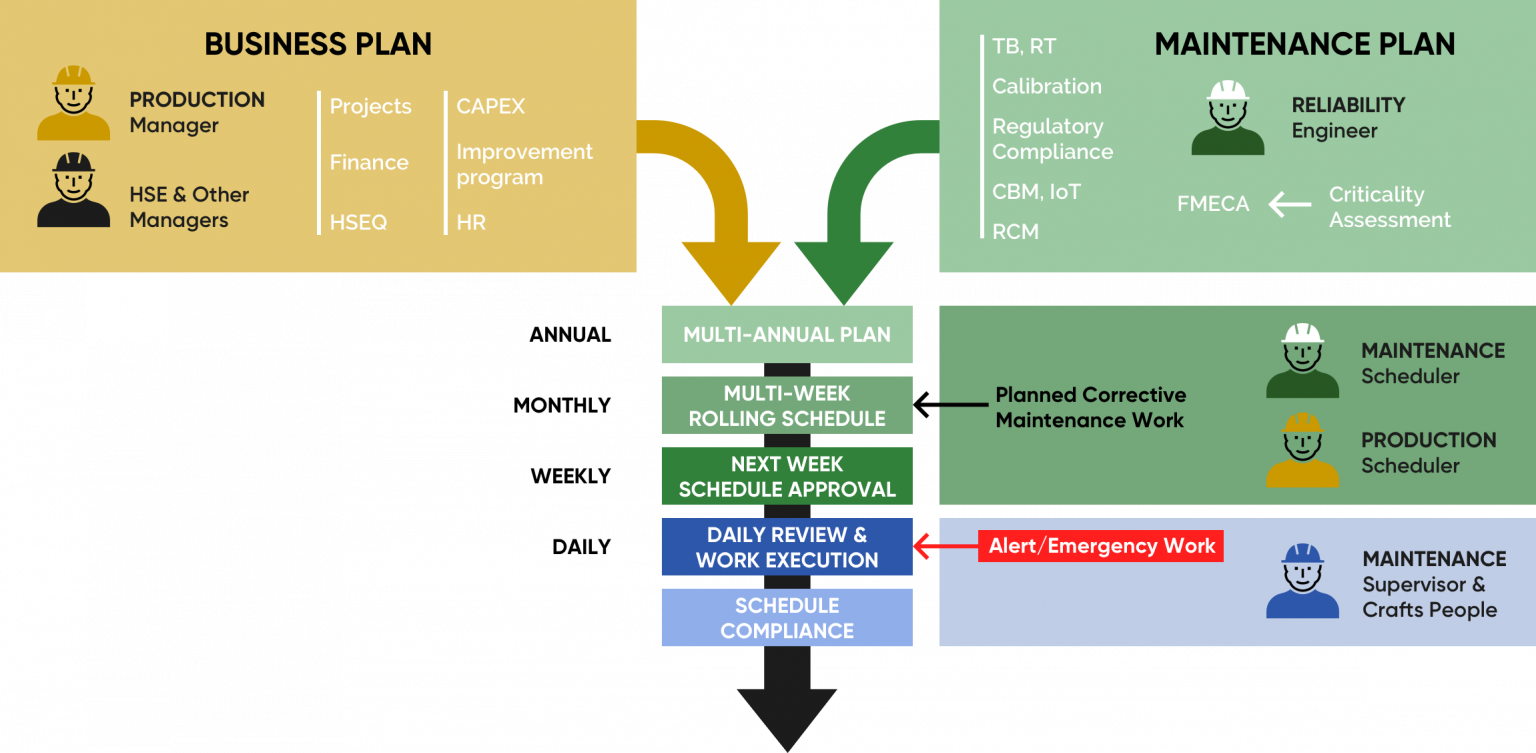

Visual Planner provides the visibility and clarity needed to efficiently prepare and lead the weekly maintenance scheduling meetings and obtain the interdepartmental consensus and commitment to the approved schedule.

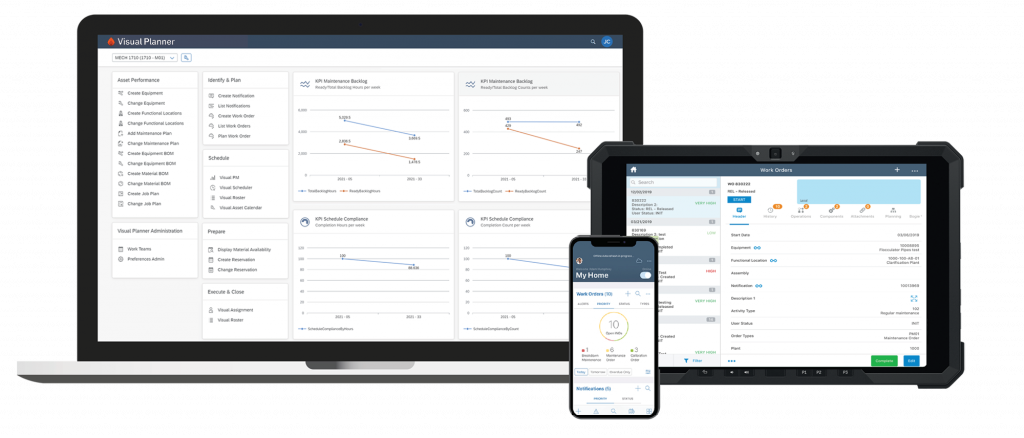
Visual Planner allows craftspeople to view on their mobile device the information required to carry-out the maintenance work with highest efficiency, and accurately report the information on the work done. Supervisors can review and validate on a graphical dashboard the work progression and the information reported on the work done in order to close the IPSPEC cycle.
State-of-the-art technical architecture
Visual Planner is integrated with SAP PM and IBM Maximo using the latest technical architecture. This approach allows Visual Planner to have the same look and feel as the host software, which leads to seamless and enthusiastic adoption by the users .
Single source of truth
The host system’s data is accessed and updated directly and instantly using the host’s standard architecture. It ensures the utmost data security, in contrast with interfaced systems which often have latency, security and data integrity issues.

Visual Planner’s technical architecture ensures the lowest cost of ownership. There are no external systems to install and manage. This means your IT team will already be familiar with Visual Planner’s technology, without requiring additional training, thus eliminating the learning curve.


- Visual Planner for SAP runs on the SAP Cloud platform and is available for SAP S/4HANA Cloud or on premises, as well as ECC versions.
- Visual Planner is embedded in IBM Maximo and available for all IBM Maximo Asset Management 7.x versions up to the current release, as well as for Maximo Application Suite / IBM Manage.
An award-winning solution
Visual Planner received the first ever ISMLE award from IBM as the most popular add-on out of the entire IBM Tivoli software suite.


"Visual Planner is a great system
I really like the Visual Planner. It allows you to fully load schedules for the week and then easily see the priorities of individual work orders in a graphical manner. This graphical ability helps you manage the weekly schedule during the daily churn as the week unfolds. Fully loading schedules and monitoring schedule compliance is the key to high crew productivity."